See It In Action
Built for clarity.
A clean three-card layout puts source, destination, and schedule in front of you — no modal dialogs, no buried preferences.
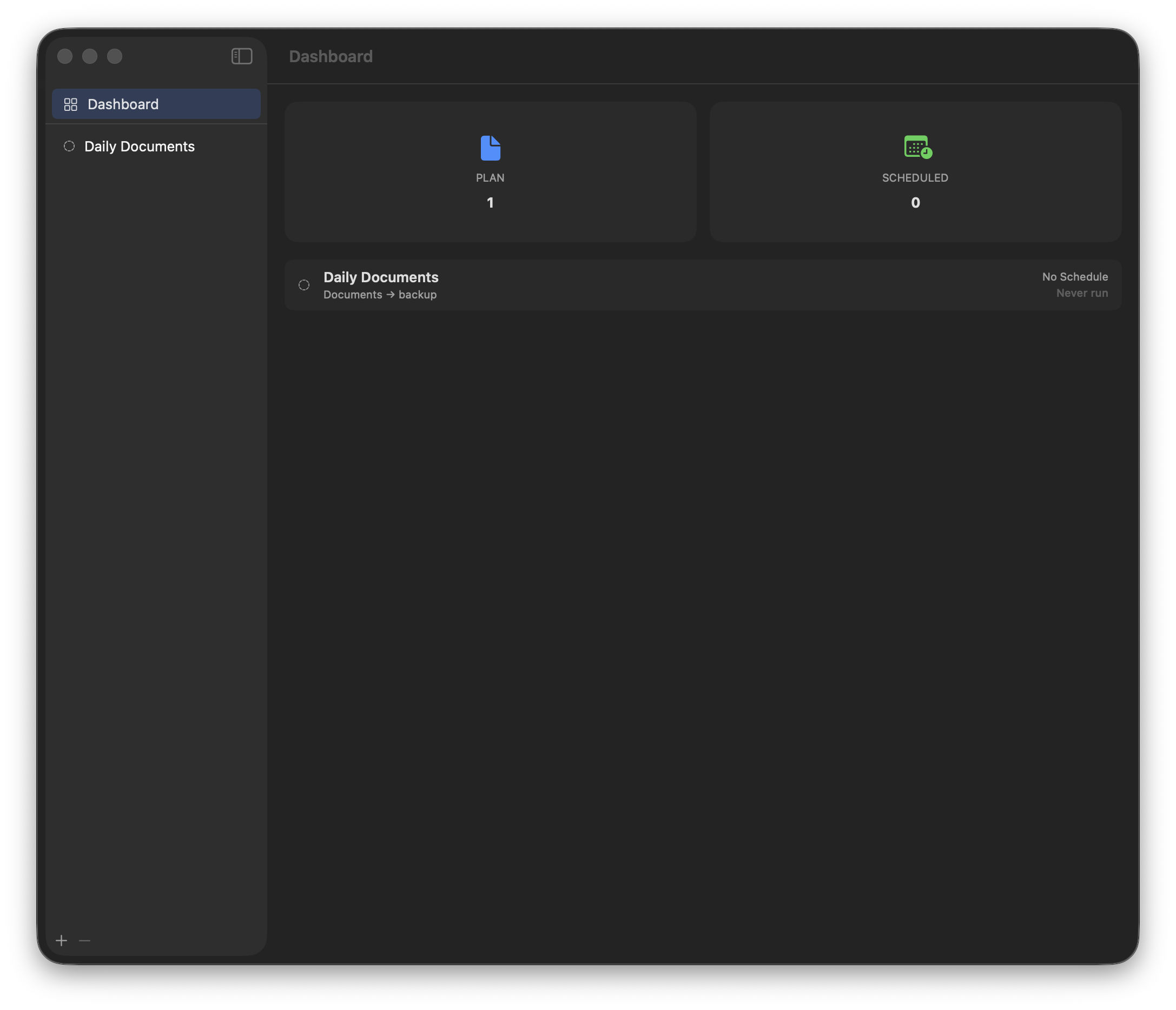
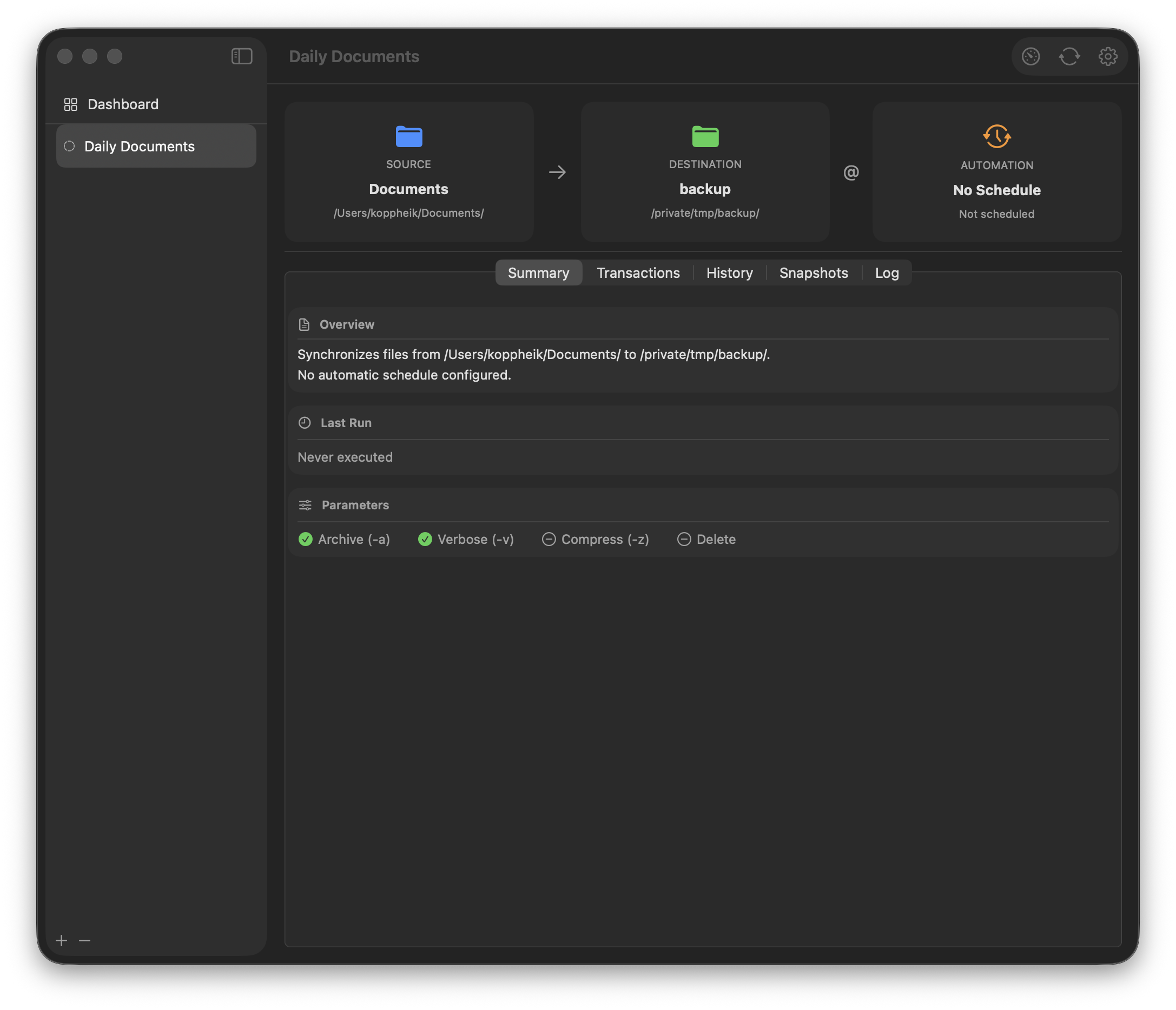
Native macOS backup utility with scheduling, snapshots, and merge mode. Powered by rsync — the battle-tested engine that ships with macOS.
brew tap Bardioc1977/conduit && brew install --cask conduit
Features
Conduit wraps the proven power of rsync in a native macOS interface designed for reliability, clarity, and automation.
Organize backups as autonomous plans — each with its own source, destination, and schedule. No global profiles, no shared state.
Manual, once, hourly, daily, weekly, monthly, or triggered on volume mount. Each plan schedules independently.
Incremental snapshots via hardlinks with configurable retention by count, age, or total size. Time-travel your files.
Newer files win. Deletions are not propagated. Two-pass rsync keeps both sides consistent without overwriting your work.
Soft-delete protection that preserves changed and deleted files with configurable automatic pruning. A safety net behind your backup.
Shell scripts, volume mount/eject, APFS snapshots, plan chaining, email reports, and desktop notifications before or after every run.
Back up to and from remote servers via SSH with key authentication. Conduit generates and manages your SSH keys.
Bonjour/mDNS discovery finds SMB, NFS, and AFP shares on your local network automatically. No manual IP configuration.
A lightweight background agent handles scheduling with sleep/wake catch-up. Pause, resume, and monitor from the menu bar.
One-click install of rsync 3.x and Unison from Homebrew bottles. No Homebrew required on the target machine.
Migrate your existing RsyncUI and rsyncOSX configurations to Conduit plans with a single click. Zero data loss.
See It In Action
A clean three-card layout puts source, destination, and schedule in front of you — no modal dialogs, no buried preferences.
How It Works
Three steps from first launch to automated, protected backups running silently in the background.
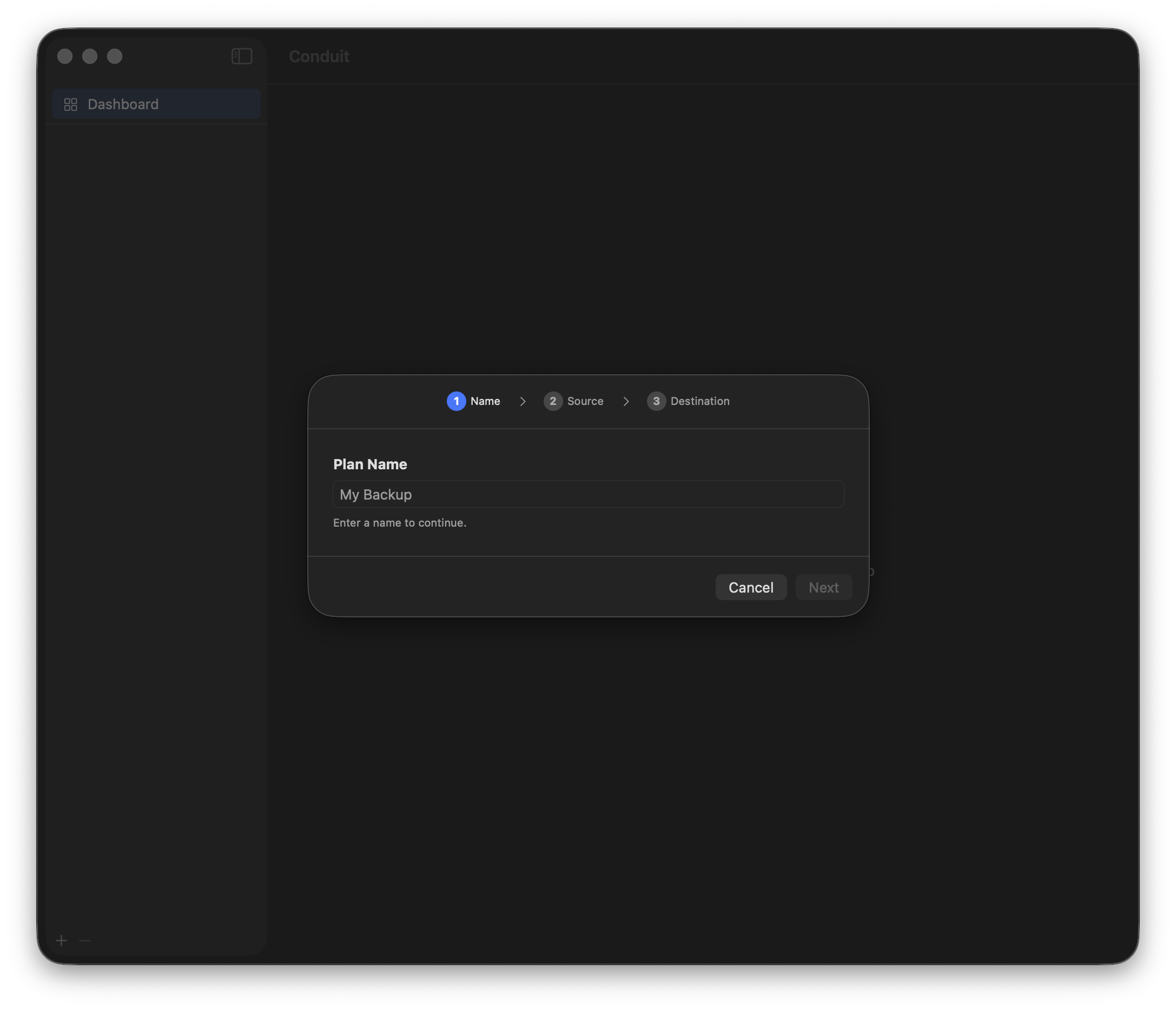
Pick a source folder, a destination — local disk, network share, or remote SSH server — and choose a schedule. One plan, one purpose.
Execute immediately with a single click, or let the MenuBar agent handle it. Watch progress stream in real time, file by file.
Snapshots, Version Vault, and notifications run automatically. Your data is safe even if you never open the app again.
Compare
Capabilities previously reserved for premium tools — at a one-time price that pays for itself in peace of mind.
| Feature | Time Machine | Carbon Copy Cloner | Conduit |
|---|---|---|---|
| Merge Mode | ✕ | ✕ | ✔ |
| Custom Scheduling | ✕ | ✔ | ✔ |
| Incremental Snapshots | ✔ | ✔ | ✔ |
| Remote / SSH | ✕ | ✔ | ✔ |
| On Volume Mount Trigger | ✕ | ✔ | ✔ |
| Network Share Discovery | ✕ | ✕ | ✔ |
| Price | ✔ | Trial | $39.99 |
Under the Hood
No Electron, no cross-platform compromises. Conduit is 100% native macOS with modern Swift concurrency throughout.
SwiftUI + Swift 6 — Built with SwiftUI and Swift 6 strict concurrency. Zero data races by construction.
openrsync — Uses the rsync that ships with macOS. No bundled binaries required for core functionality.
Notarized & Signed — Developer ID signed and Apple-notarized. Gatekeeper passes without a prompt.
Sparkle Auto-Update — Auto-updates via Sparkle with Ed25519 signatures. Secure, transparent, and silent.
Full Disk Access — Requests Full Disk Access for complete backup coverage — system folders, Mail, Photos, and more.
No Sandbox Restrictions — Distributed outside the App Store. No sandbox means no artificial limits on what you can back up.
$39.99 one-time purchase. Try free for 14 days.
Requires macOS 26 (Tahoe) or later · Apple Silicon & Intel